
Losing important videos from an SD card can be frustrating, especially when the footage contains travel memories, drone recordings, dash cam evidence, or professional camera files. Fortunately, deleted videos are often still recoverable if the card has not been heavily used after data loss.
If you need to recover deleted videos from sd card storage, the first thing you should do is stop recording new footage immediately. New data may overwrite deleted files and reduce the recovery success rate.
Professional recovery tools such as Wondershare Recoverit can scan removable storage devices, locate deleted video files, and restore recoverable clips safely to another drive.
This recovery issue is common on:
- Drone SD cards
- GoPro and action camera storage
- DSLR and mirrorless camera cards
- Dash cam memory cards
- Android microSD cards
Users dealing with damaged or inaccessible memory cards can also refer to the SD card recovery guide for additional recovery solutions and troubleshooting methods.
Common Causes of Video Loss on SD Cards
Video files may disappear from an SD card for several reasons:
- Accidental deletion during playback or review
- Formatting the card before transferring files
- Corrupted storage caused by sudden power interruption
- Interrupted file transfer between devices
- Unsafe SD card removal
- Continued use of the card after deletion
Because video files are usually much larger than photos, they are more vulnerable to corruption or overwrite if the card continues to be used.
Important Steps Before Recovery
Before scanning the card, follow these precautions carefully:
- Stop using the SD card immediately
- Avoid recording new videos to the same card
- Do not format or repair the card repeatedly
- Use a stable card reader when connecting the device
- Save recovered files to another storage location
These actions can significantly improve the chances of successful recovery.
How to Recover Deleted Videos in 3 Steps
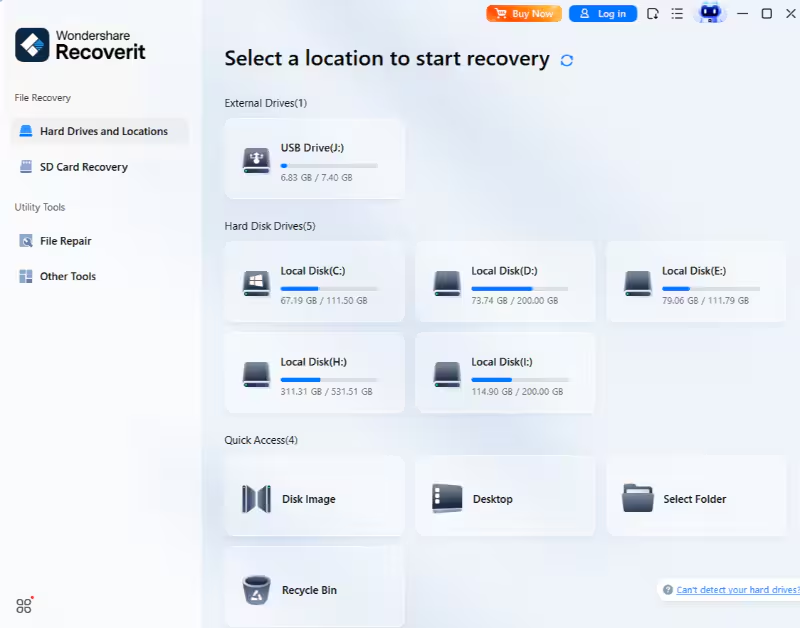
Step 1: Connect the SD Card and Open Recoverit
Insert the SD card into your computer and launch Recoverit. Select the target SD card from the list of available devices.
Result:
The software prepares the storage device for a recovery scan.
Step 2: Scan the SD Card for Lost Video Files
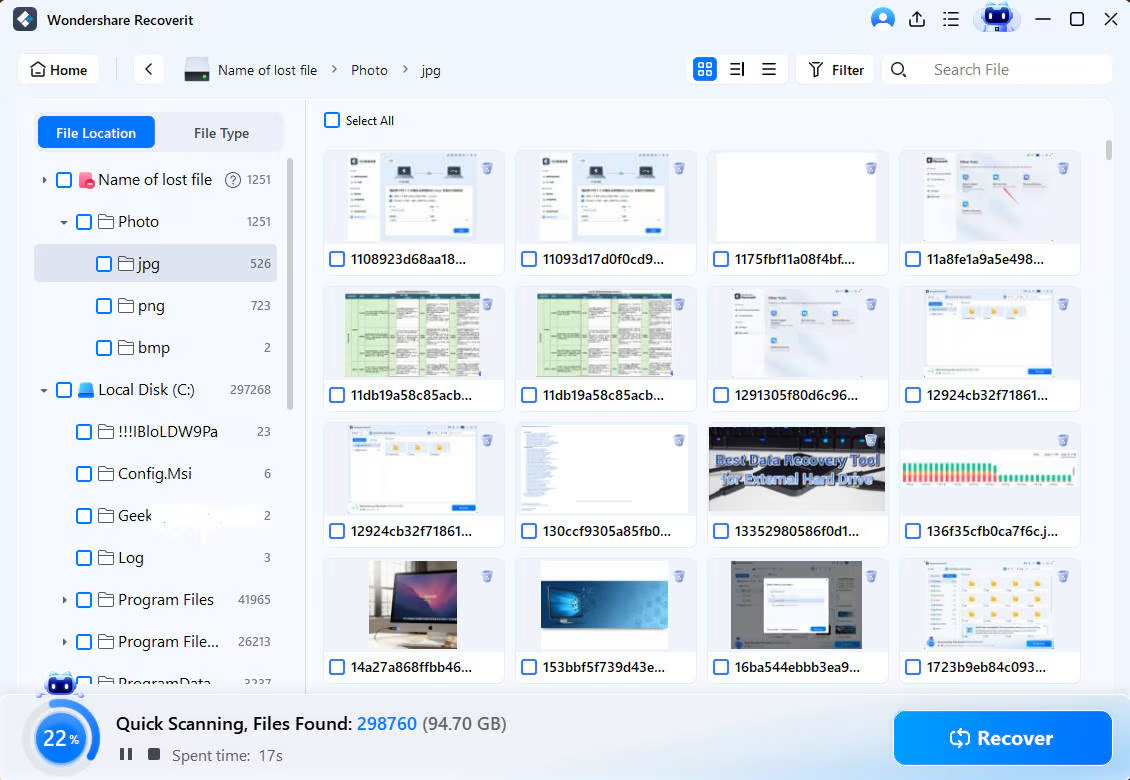
Start the scanning process. Recoverit will search the card for deleted, formatted, hidden, or inaccessible video files.
Result:
Recoverable files such as MP4, MOV, AVI, and M4V videos will appear in the scan results.
Users interested in learning more about deleted file reconstruction and storage recovery can also explore the data recovery resource center for additional tutorials and recovery guides.
Step 3: Preview and Recover the Videos
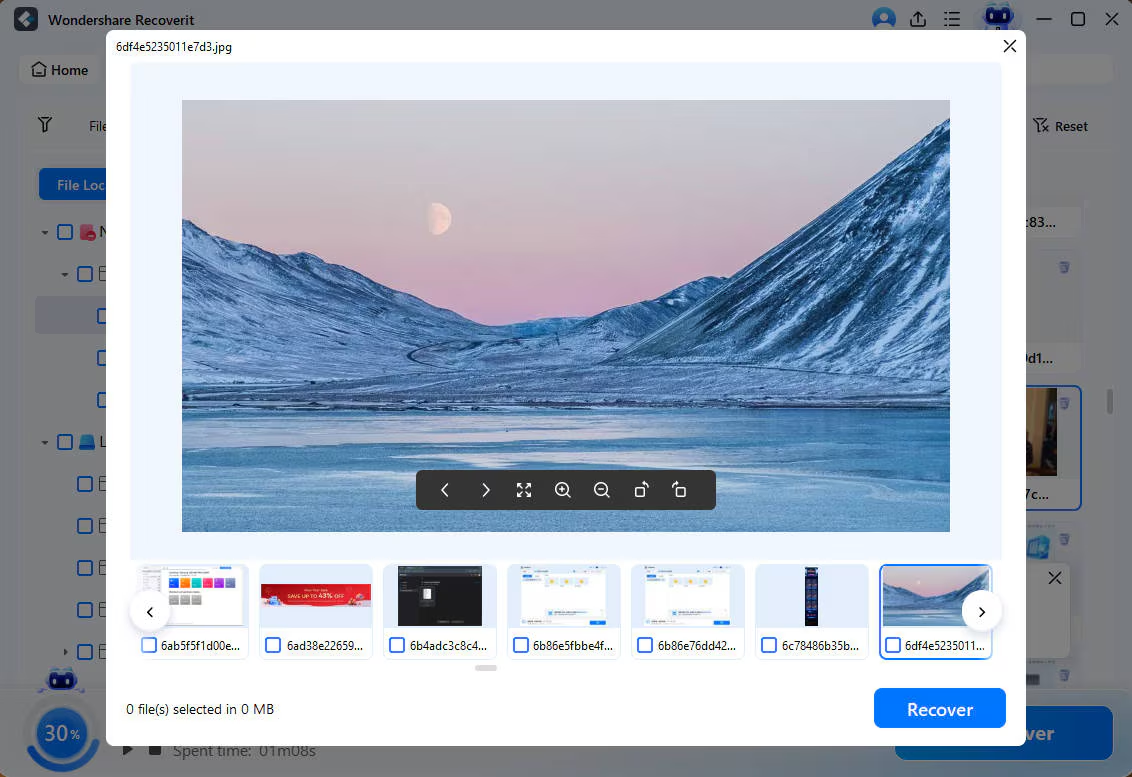
Preview the recoverable clips, choose the files you want to restore, and export them to your computer or another external drive.
Result:
The recovered videos are saved safely without overwriting the original SD card.
Why Many Users Choose Recoverit
Recoverit is widely used because it provides a simple and practical recovery workflow for both beginners and professional users.
Key benefits include:
- Recovery support for SD cards, microSD cards, USB drives, and external storage
- Support for common video formats including MP4, MOV, AVI, and M4V
- Preview before recovery
- Deep scan capability for formatted or corrupted cards
- Easy workflow without advanced technical setup
For creators, travelers, drivers, and photographers, acting quickly after data loss can significantly improve recovery success.
Final Thoughts
If your goal is to videos recovery from SD card devices successfully, time matters. Stop using the card immediately, avoid overwriting existing data, and use a dedicated recovery solution to scan and restore your files safely.
Recoverit provides a straightforward way to recover lost video files from cameras, drones, phones, and removable storage devices before permanent overwrite occurs.