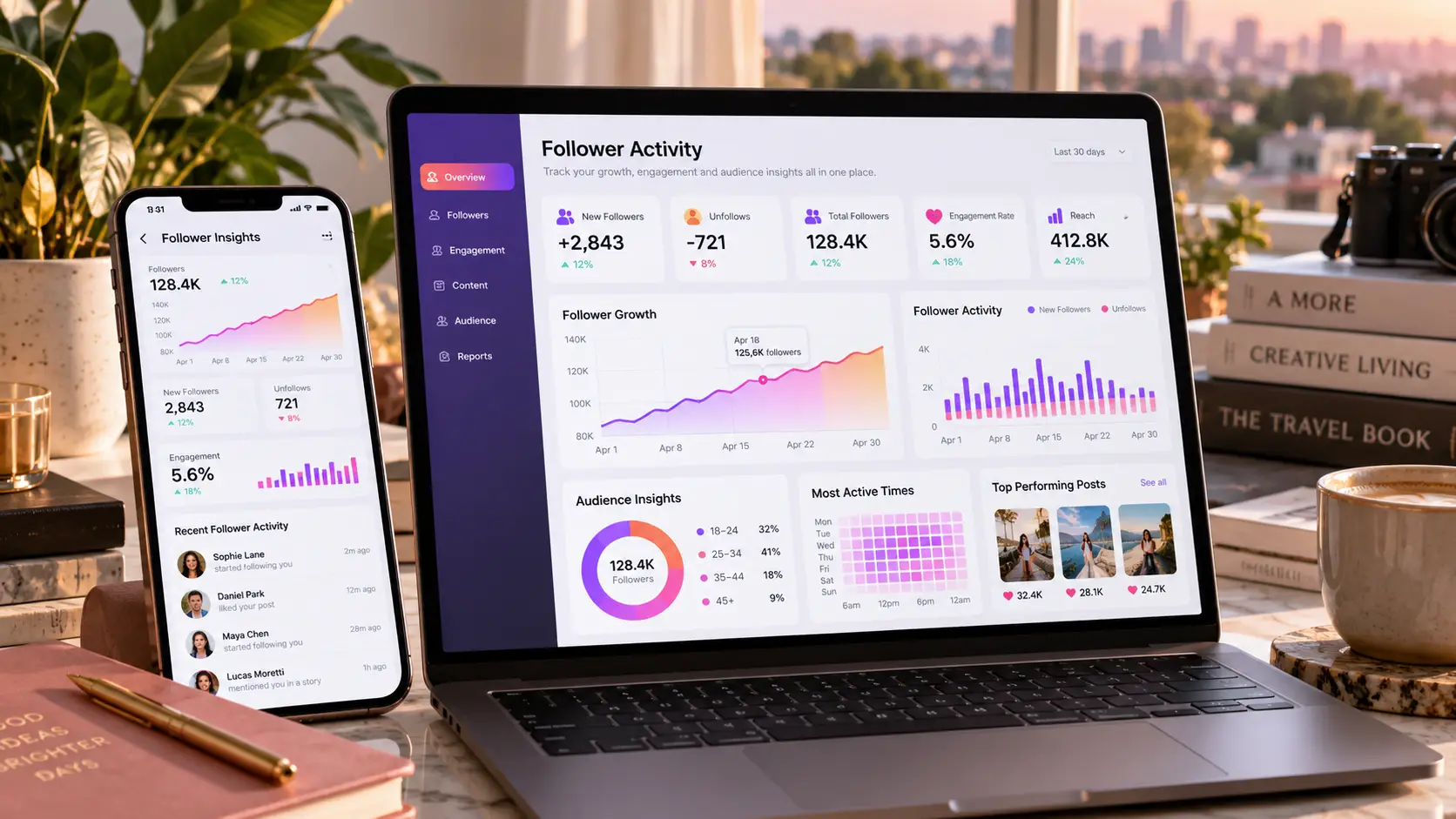
Instagram follower activity covers three things: new followers, recent follows, and unfollows. Instagram shows some of this for free, but only for a person’s own account. For anyone else’s account, people turn to third-party trackers, and many of them bill weekly. Paid trackers like RecentFollow cost up to $9.80 a week, and their data is still not real-time.
That last point matters more than the price. Instagram gives outside apps no live feed of anyone’s follows. Every third-party tracker works from snapshots taken at intervals. It compares one snapshot with the next and labels the differences as “new.” Free and paid tools use this method, so paying more doesn’t buy live data.
This review covers Instagram’s free features, the free tiers of known trackers, a free manual method, and the checks worth running before trusting any tracker site. It shows which option fits which need, and where each one falls short.
Quick answer: For a person’s own account, Instagram’s built-in tools are the most accurate free option. The Following tab sorts follows by date, and Insights shows follower gains and losses. For someone else’s public account, free tracker previews work for a quick look. A simple manual log is slower but more reliable.
How Instagram Follower Tracking Actually Works
Most confusion about these tools comes from one gap. Instagram shows follow dates for a person’s own account, but not for anyone else’s. Every free and paid tracker exists because of that gap.
What Instagram Shows by Default
On a person’s own profile, the Following tab has a “Sort by” menu. It offers three choices: Default, Date followed: Earliest, and Date followed: Latest. The last option puts the newest follows at the top.
Other people’s lists work differently. Their followers and following lists appear in an order Instagram picks for each viewer. Mutual friends and familiar accounts tend to show near the top. So the first name on someone’s list is not always their newest follow.
How Third-Party Trackers Fill the Gap
A tracker cannot ask Instagram for a live list of changes. Instead, it copies a public account’s lists, waits, then copies them again. Anything in the second copy but not the first gets labeled as new.
This method has clear side effects:
- A follow made right after a snapshot may not appear for hours or days.
- A follow and unfollow between two snapshots never shows at all.
- Large accounts are harder to copy fully, so results can look random or out of order.
Some trackers are open about this. iFollowTracker, for example, sells following change monitoring based on weekly checks. That is an honest description of how the whole category works.
What No Tool Can Do
Two promises should always raise doubt:
- Seeing private accounts. A private account hides its lists from anyone it has not approved. No outside tool has that approval.
- Showing who viewed a profile. Instagram does not record profile views in a way anyone can see. No app can reveal them.
How Each Tool Was Judged
A free tool is only useful if you can trust its data and it doesn’t put you at risk. Price came last in this review, not first.
The table below lists the five checks applied to every option.
| Check | What It Means | Why It Matters |
| Truly free | Full use at no cost, not just a preview | Many “free” tools stop after a few results |
| Accuracy | Results match what Instagram shows | Wrong data leads to wrong conclusions |
| Login needed | Asks for an Instagram password or not | A password request puts the account at risk |
| Owner shown | A company name or address is visible | An unknown owner is hard to hold responsible |
| Other accounts | Works on accounts besides the user’s own | Official tools only cover a person’s own profile |
No single option passes all five. Official tools win on accuracy and safety but cover only your own account. Third-party tools cover other accounts but lose points on accuracy and ownership.
Best Free Tools to Track Instagram Follower Activity
The first three options come from Instagram itself. They are free, accurate, and safe, but they only cover a person’s own account. The last two work on other public accounts, with trade-offs.
1. Instagram’s Following Sort (Official)
Best for: checking one’s own recent follows.
This is the simplest tool on the list, and many people never notice it. Open the profile, tap Following, then tap the sort icon. Choose “Date followed: Latest” and the newest follows move to the top.
- Cost: free
- Accuracy: exact, since the data comes straight from Instagram
- Limit: works only on the user’s own Following list
2. Instagram Insights (Official)
Best for: creators and brands tracking follower growth.
Insights shows how many accounts followed and unfollowed over a chosen period. It also breaks followers down by location, age range, and active hours. It needs a professional account, but switching to a creator or business account is free.
- Cost: free
- Accuracy: high, straight from Instagram
- Limit: shows counts, not names. It will say 12 people unfollowed, but not who.
3. Meta Accounts Center Data Download (Official)
Best for: a full record of one’s own followers and following, with dates.
Instagram lets every user download a copy of their account data. Go to Accounts Center, then Your information and permissions, then Download your information. Select only “Followers and following” to keep the file small. Each entry includes the follow date.
Downloading this file once a month, then comparing two files side by side, shows exactly who followed and who left. No third party sees the data.
- Cost: free
- Accuracy: exact, with dates
- Limit: not instant. The file can take from minutes to a few days to arrive.
4. The Manual Log Method
Best for: tracking another person’s public account for free.
This method is slow, but it is the only free option for other accounts that does not rely on an unknown company. It works best for small accounts.
- Open the public account’s Following list.
- Copy the first 20 to 30 names into a simple spreadsheet, with the date.
- Repeat every few days at the same time.
- Compare the new list with the last one. New names near the top are likely recent follows.
Instagram’s order is personalized, so this method isn’t perfect. Still, a new name that appears between two checks is a real change, not a guess from a stranger’s database.
- Cost: free
- Accuracy: good for small accounts, weak for large ones
- Limit: takes time and discipline
5. Free Tiers of Third-Party Trackers
These tools work on other public accounts without a login. Their free tiers are previews, not full access. All three below use the snapshot method explained earlier.
DolphinRadar Free Preview
DolphinRadar reads public profiles without asking the user to connect an Instagram account. It states that it can access only public content. The free view is limited, and full lists need a monthly, quarterly, or annual plan. Its homepage shows only a contact form, with no company name or address.
RecentFollow Free Preview
RecentFollow shows a short free preview, then asks for payment. Paid plans on its various sites run from about $7.99 to $9.80 a week. At least six websites use the name, and its two mobile apps come from different owners. The free preview is fine for a quick look. The paid plans are harder to justify.
iFollowTracker Free Preview
iFollowTracker offers a free preview to confirm a profile is public before any payment. It is the most open about its method. It describes its results as snapshots built from visible profile signals. Its paid plans start at $3.99 a month, and it runs weekly change-monitoring checks. Like the others, it names no company or owner on its homepage.
Free Tools Compared at a Glance
The right choice depends on whose account you need to track. For one’s own account, the official tools win on every point. For other accounts, every option involves a trade-off.
The table below sets all seven options side by side.
| Tool | Free Limit | Other Accounts | Login Needed | Accuracy | Owner Shown |
| Following sort | Fully free | No | Own account | Exact | |
| Instagram Insights | Fully free | No | Own account | High | |
| Data download | Fully free | No | Own account | Exact, dated | |
| Manual log | Fully free | Yes | No | Good for small accounts | Not needed |
| DolphinRadar | Preview only | Yes | No | Snapshot-based | No |
| RecentFollow | Preview only | Yes | No | Snapshot-based, inconsistent | No |
| iFollowTracker | Preview only | Yes | No | Snapshot-based, weekly checks | No |
The pattern is clear. The tools that know the most about an account show only the owner’s data.
Red Flags in Free Instagram Trackers
A free tracker costs nothing up front, but a bad one can still cost an account or a card. These signs are worth walking away from:
- It asks for an Instagram password. A tracker of public data never needs one. Handing it over puts the account at risk of a ban or a takeover.
- It promises private account access. No outside tool can see a private account’s lists. A site that claims it can is misleading its users.
- It claims “real-time” or “100% accurate” data. Snapshot-based tools cannot deliver either.
- It hides the price until signup. Weekly billing often appears only after you enter a card.
- It shows no owner. A missing company name or address means no one to contact if billing goes wrong.
How to Check a Tracker Site Before Trusting It
A few quick checks can separate a stable site from a risky one. None of them take more than a few minutes.
Look Up the Domain Age
A free WHOIS lookup shows when a domain was registered. A site created a few months ago has little track record. This isn’t proof of a scam, but it calls for extra caution before paying.
Check the Site’s Traffic History
Traffic tools such as Semrush or Ahrefs show how a site’s estimated Google traffic has moved over time. A steady line suggests a site with a lasting presence. A sharp drop can signal a problem with how search engines view it.
Voozon.com is a useful example of how fast this can change. It is a multi-topic site that publishes articles and sells guest post spots. It is not a scam, but it is not an established publication either. Between 14 and 24 September 2026, its estimated Google traffic fell by about 97.7%. A tracker site can go through the same kind of drop, so a quick look at its traffic trend is worth the time before relying on it.
Compare Ratings Across Platforms
One brand can earn very different scores in different places. A website may show 4.7 stars on Trustpilot while its matching app sits at 1.0 on the App Store. When ratings split that far, the lower one usually deserves a closer read.
Read the Pricing Page Before the Signup Page
A trustworthy tool shows its price, billing period, and cancellation process before asking for a card. If any of the three is missing, the free preview is the safest place to stop.
Is Paying for a Tracker Ever Worth It?
Rarely. Paid tiers use the same snapshot method as free previews. They show more names, but not fresher or more accurate ones.
The cost also adds up quietly. A plan at $8 a week comes to $416 a year if no one cancels it. That is a high price for data that may be hours or days old.
A paid plan can make sense in one narrow case: short-term, low-stakes use, on a tool with a clear price and a simple way to cancel. Even then, a single month is safer than a weekly plan left running.
Conclusion
For tracking one’s own follower activity, nothing beats Instagram’s free built-in tools. The Following sort shows recent follows, Insights shows growth, and the data download gives a dated record.
For someone else’s public account, a free tracker preview is fine for a quick look. A manual log is slower but more trustworthy. Paying for a tracker rarely makes sense, since paid plans still rely on snapshots rather than live data.
FAQs
What is the best free tool to track Instagram followers?
For one’s own account, Instagram’s built-in tools are best. The Following sort, Insights, and the data download are all free and accurate. For another person’s public account, a manual log is the most reliable free option.
Can someone see who another account recently followed for free?
Partly. Free tracker previews show a few recent follows from public accounts. The full list usually sits behind a paywall, and the results are based on snapshots, not live data.
Do Instagram follower trackers notify the account owner?
No. Instagram does not tell anyone when their profile or lists are viewed. Trackers that read public data don’t send alerts.
Are third-party Instagram trackers safe?
Those that need no login are low-risk for the user’s own account. The bigger risks are paying for unreliable data and sharing card details with an unknown owner.
Can any tool track private Instagram accounts?
No. Private accounts hide their lists from anyone they have not approved. Avoid any tool claiming otherwise.
Why do tracker results change on each check?
Each check reads a new snapshot of the account’s lists. The order Instagram shows can also change between viewers and visits. So two checks of the same account can return different results.