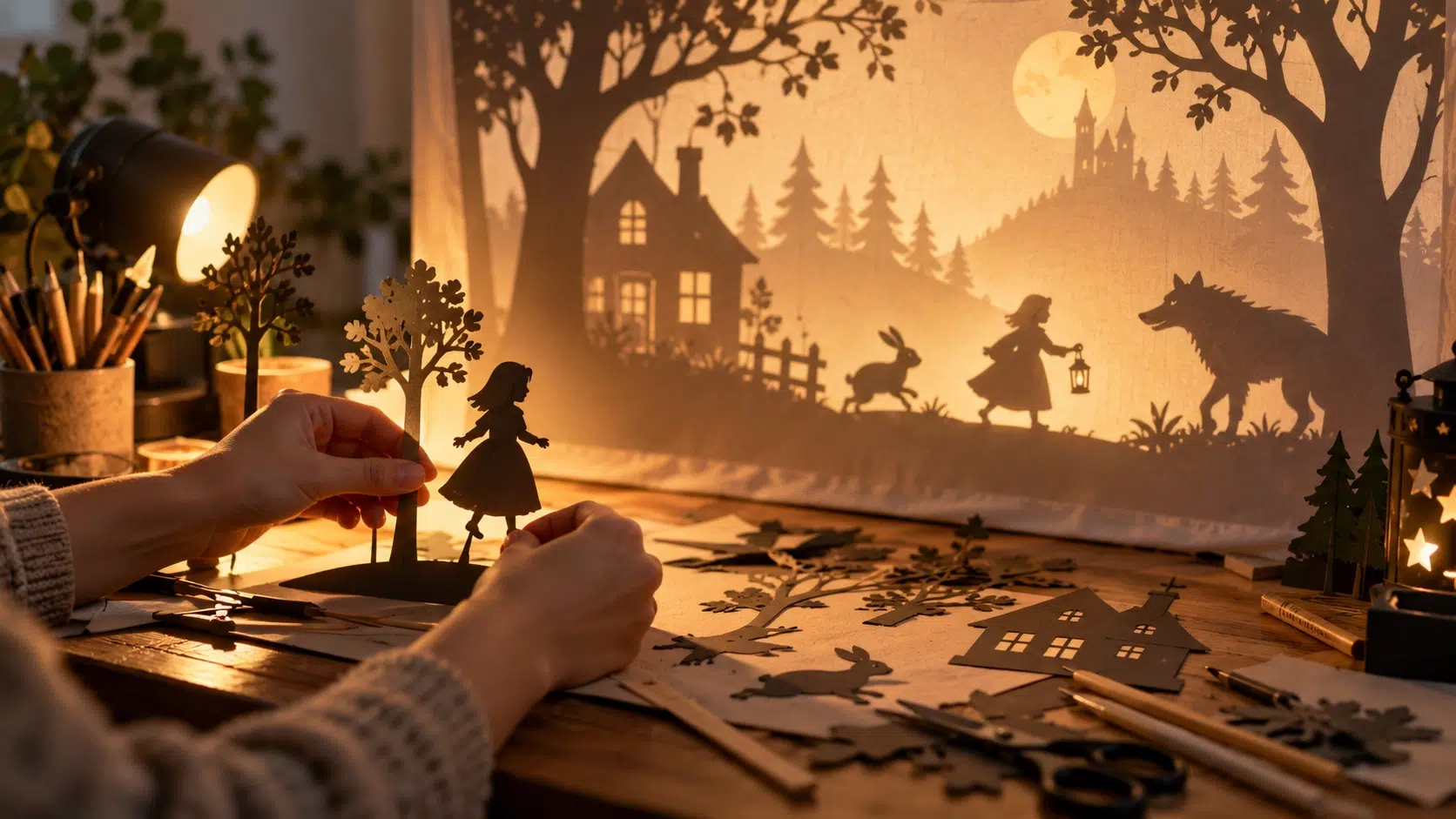
There’s something quietly magical about a shadow puppet — a flat, simple silhouette that somehow carries an entire character’s personality with nothing but its outline and a warm glow behind it. That old-world charm doesn’t require actual paper cutouts and a lamp anymore.
Text-to-image AI can now generate the same theatrical, backlit silhouette style from nothing more than a written idea, making it possible to build an entire shadow puppet scene without ever cutting a shape out of cardstock.
Dreamina’s advanced image generation capabilities are particularly well suited to this style, rendering the glow, translucency, and layered depth that make shadow puppetry so visually distinct.
What actually defines the shadow puppet look
Shadow puppetry has a specific visual language: a flat black or near-black silhouette, a warm glowing light source behind it, and often delicate cut-out detail along the edges that catches the light. Getting this look right in a generated image comes down to describing that light source and silhouette relationship clearly, rather than just naming the subject.
Choosing subjects that read well as silhouettes
Not every idea translates cleanly into a strong silhouette. The best shadow puppet subjects have a clear, recognizable outline even with zero internal detail:
- Animals with distinctive shapes, like foxes, birds, or deer
- Simple human poses — dancing, reaching, running
- Objects with an iconic silhouette, like a lantern or a ship
- Scenes with one clear focal subject rather than several competing shapes
Building depth with layered silhouettes
A single flat silhouette can look striking, but real shadow puppetry often uses layered depth — a foreground shape darker and sharper, background elements slightly softer or smaller. Describing this layering explicitly, like a close silhouette in the foreground with a fainter shape further back, adds dimension without breaking the flat aesthetic.
A second scene for a connected story moment
Shadow puppet scenes often work best as part of a small sequence telling a simple story. Here’s a related prompt, close in mood to the first but continuing the narrative: a shadow puppet scene of the same fox character sitting still, gazing up at a glowing full moon, warm amber backlight, crisp black silhouette, soft delicate cut-paper edge detailing.
The lighting and silhouette style stay consistent, letting the two images read as connected moments in one story.
Deciding on a background that supports the glow
The background does a lot of the emotional work in this style. A warm gradient — amber, orange, or deep red — mimics the glow of a lamp behind a traditional screen, while a cooler blue background can shift the mood toward something more mysterious or nighttime in feeling.
Where shadow puppet visuals work best
This distinctive style suits a specific range of creative uses:
- Children’s storybook illustrations or bedtime story content
- Theatrical or event promotional graphics
- Album art or music visuals with a folklore feel
- Decorative art prints with a handmade, nostalgic quality
Dreamina’s models and how they handle this style
Seedream 5.0 Pro
As Dreamina’s newest and most advanced model, Seedream 5.0 Pro is especially strong with lighting-driven styles like this one, rendering the glow and silhouette contrast with real precision, which makes it the top pick for shadow puppet scenes where the light source is doing most of the storytelling.
Nano Banana
Nano Banana offers a softer, more painterly interpretation of the same silhouette concept, which can suit a gentler, storybook-like version of the style rather than a sharp theatrical look.
GPT Image 2
GPT Image 2 provides another option for comparing a different rendering of the same silhouette scene, useful when testing how bold or soft the backlight glow should feel before finalizing the piece.
Producing the scene with Dreamina
Step 1: Write a detailed text prompt
Open Dreamina and describe your scene with attention to silhouette shape and backlight color.
For a version featuring a person in this craft, try: a puppeteer’s hands, shown in silhouette, carefully holding a cut-paper fox puppet up against a glowing amber screen, warm backlight, delicate cut-out detailing visible along the puppet’s edges, theatrical mood
If you have an actual photo of a shadow puppet or silhouette art style you like, upload it as a reference image to match that specific look.
Step 2: Adjust parameters and generate
Choose Image 5.0 Pro by Seedream 5.0 Pro as your model for its strength in rendering convincing backlighting and crisp silhouette edges. Select a landscape aspect ratio for a wide theatrical scene or square for social use, and pick 1K for a quick concept or 2K for a print-quality final piece. Tap Dreamina’s generate icon to create the image.
Step 3: Edit and download
Use Dreamina’s editing tools to refine the scene — inpaint to sharpen a silhouette edge or adjust a shape, expand the canvas if the composition needs more glowing background space, remove any element that breaks the flat aesthetic, and retouch the glow for a warmer or cooler finish. Once it’s ready, click Download to save your finished shadow puppet scene.
Avoiding a flat result that loses its charm
- Overcomplicating the silhouette with too much internal detail
- Choosing a subject whose outline isn’t distinct enough to read clearly
- Using a background that’s too bright, which washes out the silhouette
- Skipping the edge detailing that gives the style its handmade feel
Wrapping up
Shadow puppetry has survived for centuries because a simple silhouette against warm light is endlessly evocative, and that same charm translates beautifully into generated imagery.
With a clear sense of silhouette and backlight, and Dreamina rendering the glow and detail that make the style work, anyone can build a shadow puppet scene that feels like it belongs on an actual lit screen.